
Construction 4.0: Technologies and Project Uses
Construction 4.0 is a broad label for applying connected, automated, and data-driven technologies to construction. It often draws parallels with Industry 4.0, which describes digitally connected production and operations. In construction, the term can include building information modeling, cloud collaboration, sensors, digital twins, analytics, robotics, automation, additive manufacturing, and connected equipment.
There is no single fixed package of technologies called Construction 4.0. Organizations use the term differently. A project should name the specific tools, information, and workflow it intends to implement. The goal is to solve a real delivery or operating problem, not to add digital features without a defined user or outcome. For related roles and applications, see construction engineering technology.
What changes in a Construction 4.0 project?
Traditional project information can be fragmented across drawings, spreadsheets, email, field notebooks, and company systems. Digital tools can connect some of that information, make updates more visible, or automate repeated tasks. They can also add new integration, security, training, and data-quality needs.
A digitally connected project may use models to coordinate work, mobile tools to report field issues, sensors to capture operating conditions, and analytics to examine schedule or equipment data. These elements only work together when identifiers, ownership, access, and update rules are agreed. A digital transformation is therefore partly a process and management change.
Building information modeling
Building information modeling (BIM) uses digital processes to create and manage information about a facility. A model can represent geometry and carry selected properties, but its purpose varies. Design coordination, construction sequencing, quantity analysis, fabrication, record documentation, and asset management require different information and levels of detail.
A project should define its model uses and requirements in advance. It should state who creates each model, how disciplines coordinate, which files are authoritative, how issues are assigned, how revisions are managed, and what information the owner expects at handover. A model’s visual detail does not guarantee accurate quantities or complete maintenance data.
Digital twins and connected assets
A digital twin is generally a digital representation connected to an asset or process by data. The connection may be occasional or continuous. A static model can be a useful digital record, but a live operational twin needs current information and a defined update process.
The owner should start with a use case. Examples include monitoring energy performance, diagnosing equipment behavior, planning maintenance, or simulating operational scenarios. The required sensors, model data, refresh frequency, and accuracy depend on the use. A digital twin without a decision process may become an expensive visualization.
Operational data needs a responsible owner. The team should define who maintains equipment identifiers, which readings are valid, how data gaps are handled, what triggers an alert, and who responds. The building’s actual condition should be validated before a model is used to make maintenance or safety decisions.
Sensors, Internet of Things, and analytics
Sensors can capture data about temperature, humidity, vibration, energy, location, occupancy, or equipment status. Internet of Things systems connect devices and transmit information. Construction teams may use sensors to monitor conditions, materials, equipment, or environmental factors.
Before deployment, define the measurement and its purpose. Confirm calibration or verification needs, placement, data frequency, connectivity, power, and limitations. A temperature reading from one point does not describe every location in a large space. An alert is not a diagnosis. A system needs a response plan and a person accountable for checking it.
Analytics can combine project data to identify patterns, forecast outcomes, or support decisions. The quality of the result depends on the source data, definitions, and assumptions. A model trained on incomplete or inconsistent project records may produce a misleading forecast. Teams should test results against known conditions and make uncertainty visible.
Automation, robotics, and offsite production
Automation can support repetitive activities in planning, fabrication, layout, inspection, or documentation. Robotics may assist with tasks such as surveying, material movement, repetitive installation, or hazardous operations. Offsite fabrication can move work into a controlled environment and then transport assemblies to a project site.
These approaches can change labor needs, tolerances, logistics, inspection points, and installation sequence. They require coordination between design, manufacturer, transport, site access, lifting, and connections. A prefabricated assembly must fit the as-built condition and be safely handled. Early coordination is critical because late changes can affect both the product and the site.
Additive manufacturing, including forms of 3D printing, is being explored for selected construction applications. Its suitability depends on materials, design, equipment, scale, testing, approvals, and local requirements. Teams should verify performance and acceptance criteria for the actual use rather than assume that a technology demonstration proves project readiness.
Cloud collaboration and common data
Cloud platforms can provide shared access to drawings, models, submittals, RFIs, photos, schedules, and issue logs. The platform should make current status visible and preserve an audit trail. Teams need to understand permissions, version control, offline work, data retention, export, and what happens after project closeout.
A common data environment is an agreed approach to managing project information across organizations. It may use a platform, naming rules, approval status, and workflows. The phrase should be tied to specific project requirements so participants know which system is authoritative for each record.
Interoperability matters when software tools exchange information. File formats, identifiers, units, object properties, and revision conventions must align. The project should test an exchange early using representative files and confirm what information is retained or lost.
Benefits should be measured, not assumed
Potential benefits include earlier detection of coordination issues, improved visibility, more consistent documentation, reduced manual re-entry, better maintenance planning, or safer execution. Benefits depend on project scope, adoption, data quality, and how work is organized. A tool can also introduce costs, training demands, privacy concerns, and new failure points.
Choose a baseline and an outcome measure. If the project wants to reduce issue response time, track elapsed time from submission to closure and the number of reopened issues. If the goal is better handover, measure required asset data completeness at a defined milestone. If the goal is fewer installation conflicts, record field rework and design changes, not only model clash counts.
Compare projects carefully. A small project with fewer changes is not automatically evidence that software caused the difference. Project complexity, team experience, design maturity, and procurement strategy also matter. Use results to improve decisions, not to claim more certainty than the data supports.
Risks and controls
Digital construction systems can contain sensitive information about facilities, security, equipment, workers, schedules, and operations. Owners should set access, retention, backup, privacy, and security requirements. Vendors and project partners need clear rules for data ownership, incident reporting, and system access after a contract ends.
Cybersecurity should be considered for connected equipment and operational technology, not only office software. Separate networks, access controls, secure configuration, updates, and response plans may be appropriate. The responsible IT and facilities professionals should define controls for the specific system.
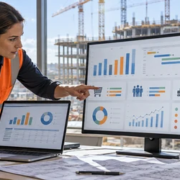
Another risk is confusing a dashboard with a reliable decision. Every metric needs a definition, source, update frequency, and owner. Teams should identify missing data, duplicate entries, and stale records. An attractive chart can obscure problems if the underlying information is not validated.
A practical adoption roadmap
- Choose a recurring problem with a clear user and measurable result.
- Map the current workflow and identify where information is created, checked, and acted on.
- Define data ownership, identifiers, security, access, and retention.
- Pilot the technology on a manageable project or work package.
- Train users by role and collect feedback from field and office participants.
- Compare results with a baseline and document limits before expanding the use.
Workforce, process, and organizational readiness
Digital tools change how information moves, but the project still needs people who can interpret, verify, and act on it. Teams may need training in model review, digital field reporting, data standards, equipment controls, or cybersecurity. A technology plan should budget time for that learning and identify support during the transition.
Adoption can fail when project leaders launch tools without explaining why information is being collected or what decisions it will affect. Field staff may see duplicate forms as administrative work that adds no value. The project should show how the new workflow replaces or improves an existing step and remove redundant reporting where possible.
Organizations should also plan for access after staff or vendors leave. Assign ownership of data, model files, credentials, licenses, and training materials. Define who will maintain operational records after construction ends. These handoffs determine whether project data remains useful beyond the installation phase.
Choosing a narrow first use case
A company does not need to transform every process at once. It can start with one use case such as document revision control, field quality records, equipment commissioning, or material delivery coordination. The pilot should identify scope, users, data, support, success measure, and stop condition. If the pilot does not solve the stated problem, refine the workflow before expanding it.
A narrow test also reveals integration issues. Teams can check whether the platform works on site devices, whether data exports are readable, and whether notifications reach the right people. Record limitations honestly. This creates a better basis for investment than relying only on a vendor demonstration.
Connecting project technology with business systems
A digital project may use one platform for field issues, another for models, and a business system for cost and purchasing. The team should define which platform owns each record and how approved information moves between systems. A construction ERP may support accounting, job cost, commitments, and purchasing; see the construction ERP overview. Integration should preserve identifiers and status so an operational report does not mistake a proposal for an approved transaction.
Frequently asked questions
Is Construction 4.0 a specific product or standard?
No. It is a broad concept used to describe digital and connected construction approaches. Individual standards, software products, and project requirements must be identified separately.
Does a digital twin need live sensor data?
Not every digital representation is continuously updated. The term is used in different ways. Define the connection, update frequency, data, and intended decisions before calling a model an operational digital twin.
Can digital technology replace construction expertise?
No. Technology can support analysis, coordination, and records, but qualified people still need to interpret data, verify field conditions, make authorized decisions, and manage the work.