
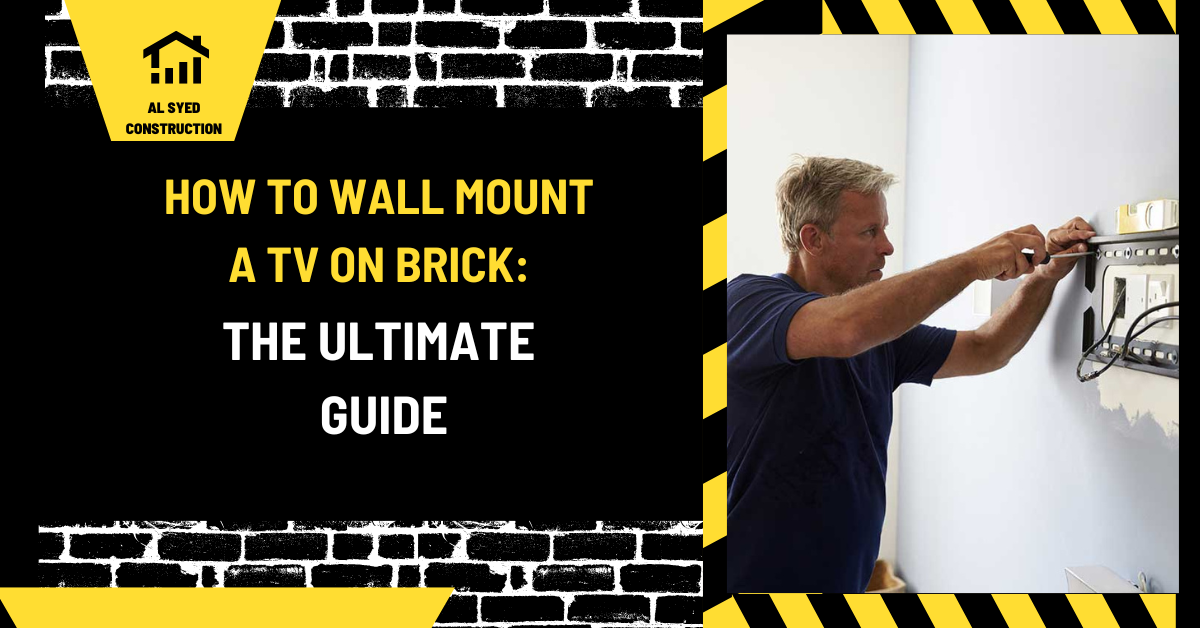
Mount TV on brick: Guide
This guide covers mount TV on brick and the material, design, and installation checks that shape a durable masonry project.
Mounting a television on a brick wall can be a challenging yet rewarding task. This guide provides a step-by-step approach to ensure a secure and professional installation. Follow these comprehensive instructions to mount your TV safely and effectively.
Preparing for the Installation
1. Assess the Wall
Before starting, it is crucial to assess the brick wall where you plan to mount the TV. Ensure that the wall is structurally sound and capable of supporting the weight of the TV and the mount. Check for any cracks or damage in the brick or mortar that might affect the installation.
2. Choose the Right Mount
Selecting the appropriate TV mount is essential. There are different types of mounts including:
- Fixed Mounts: Keep the TV flat against the wall with no movement.
- Tilting Mounts: Allow you to tilt the TV down for better viewing angles.
- Full-Motion Mounts: Enable you to adjust the TV’s position and angle.
Ensure that the mount you choose is rated for the size and weight of your TV.
Tools and Materials Needed
Gather the following tools and materials:
- Power Drill
- Masonry Drill Bits (appropriate size for the wall anchors)
- Masonry Anchors and Screws
- Level
- Tape Measure
- Pencil
- Stud Finder (if you want to locate any hidden supports)
- Socket Wrench
- Safety Gear (gloves and safety goggles)
Step-by-Step Installation Process
1. Mark the Mounting Points
- Measure and Mark: Use a tape measure to determine the desired height for the TV. Mark the position of the mount on the wall with a pencil.
- Level the Mount: Use a level to ensure the marks are aligned horizontally.
2. Drill the Holes
- Select the Right Bit: Choose a masonry drill bit that matches the size of your wall anchors.
- Drill Holes: Using a power drill, carefully drill holes into the brick at the marked locations. Start at a slow speed to avoid cracking the brick. Drill to the depth required for the anchors.
3. Install the Wall Anchors
- Insert Anchors: Place the masonry anchors into the drilled holes. You may need to gently tap them with a hammer to ensure a snug fit.
- Secure the Anchors: Ensure the anchors are flush with the wall surface.
4. Attach the Mount to the Wall
- Align the Mount: Position the TV mount over the anchors and align it with the drilled holes.
- Screw in the Mount: Use the provided screws and a socket wrench to attach the mount securely to the wall. Ensure the mount is tightly fastened and level.
5. Prepare the TV
- Attach the Mounting Brackets: Follow the manufacturer’s instructions to attach the mounting brackets to the back of your TV. Make sure they are securely fastened.
- Check the Weight: Verify that the weight of the TV is well-distributed and that the brackets are properly aligned.
6. Mount the TV
- Lift the TV: With assistance if needed, carefully lift the TV and align the mounting brackets with the wall mount.
- Secure the TV: Once aligned, securely fasten the TV to the mount. Double-check that all screws and bolts are tightened.
Final Adjustments
1. Level the TV
Ensure that the TV is perfectly level by using a level tool. Make any necessary adjustments to the mount or TV brackets.
2. Conceal Cables
For a clean installation, consider using cable management systems to hide cables and wires. You can use cable covers or wall-mounted cable raceways.
3. Test the Installation
Verify that the TV is securely mounted and that it remains stable during use. Test all functionalities to ensure everything is working correctly.
Troubleshooting Common Issues
1. TV Not Level
- Solution: Adjust the mount or use spacers if needed to ensure the TV is perfectly level.
2. Difficulty Drilling into Brick
- Solution: Ensure you are using the correct size masonry drill bit. If problems persist, consider using a rotary hammer drill.
3. Wall Anchors Not Securing Properly
- Solution: Check that the holes are clean and debris-free. Try using larger or different type of anchors if necessary.
Identify what is behind the brick
Before mounting a television, determine whether the wall is solid masonry, concrete block, or brick veneer over a framed backup. The visible brick does not always provide the intended support. A veneer wall’s brick facing is tied to a backup and may have a cavity behind it; a long anchor that passes through the veneer can create a crushing or water-entry problem if the assembly is not designed for that attachment. If the wall type is unclear, ask a qualified contractor to identify it before drilling.
Check the television and bracket manuals for the combined load, required fastener type, hole spacing, and permitted mounting surfaces. Select anchors rated for the actual brick or block and load direction. Do not rely on a general-purpose plastic plug for a heavy articulating mount. Expansion anchors can split weak or hollow units if they are oversized or installed near an edge.
Choose the location and anchor points
Plan the screen height, viewing angle, cable path, and access to power before drilling. Locate electrical wiring, plumbing, and other concealed services using reliable plans or detection methods. Avoid drilling near a brick edge, mortar joint, lintel, or visibly cracked area unless the mounting design specifically allows it. For solid brick, fasteners are generally placed into sound brick rather than weak mortar, but the correct method depends on the anchor manufacturer and wall condition.
For hollow block, use an anchor specifically designed for the unit’s face shells or cores and follow its installation details. Do not drill through a veneer cavity or into an unknown backup. If the mount is articulating, the leverage at full extension can be much higher than the television’s static weight. Use the bracket’s rated fastener pattern and consider a professional installation for large screens or uncertain walls.
Installation and follow-up checks
Use the specified drill bit, hole depth, cleaning method, and torque. Keep the drill square and avoid hammer action if the product instructions prohibit it. Remove dust and install anchors without forcing them. Tighten the bracket evenly and verify the mount is level before attaching the television. Do not overtighten fasteners until the brick cracks or the anchor spins.
After installation, test the mount gradually and inspect for movement, loose fasteners, cracking, or separation from the wall. Keep cables secured without pulling on the bracket. If the anchor moves or masonry cracks, support the television and remove it safely before the condition worsens. A secure mount depends on a known wall assembly, compatible anchors, and careful installation—not simply on brick being a hard surface.
Identify the Wall Before Drilling
First determine whether the visible brick is a solid masonry wall, a thin brick veneer, or a brick fireplace facing attached to another structure. The correct anchor location depends on the wall behind the face. A veneer wythe may not be designed to carry a heavy television and extending arm by itself; fastening only into a thin face brick can loosen or crack the veneer. If wall construction is uncertain, review plans or have a qualified installer assess it before drilling. Do not mount above an active fireplace without checking heat, clearance, and manufacturer requirements.
Check the mount’s rated load, television weight, extension arm, fastener requirements, and required number of anchors. The load on an articulating arm can be higher than the static weight because it projects away from the wall. Confirm that the anchor system is approved for the specific brick or masonry substrate and install it exactly as specified. A fastener intended for concrete may behave differently in hollow block, mortar, or a veneer wythe.
Plan the Location and Avoid Hazards
Choose a height and location that allow comfortable viewing, access to cables, and support without interfering with doors, windows, built-in appliances, or movement joints. Use a level and template to mark holes. Check for electrical conduits, plumbing, gas lines, fireplace flues, and embedded metal before drilling. Do not drill where a conduit or structural reinforcement may be present. For fireplace walls, verify that drilling will not damage the firebox, liner, or chimney.
Keep holes in the brick unit rather than the mortar joint when the anchor manufacturer requires unit installation, but first confirm the wall type and anchor instructions. Mortar joints may be weaker or deteriorated, yet drilling into brick can also split a unit if the hole is too close to an edge or the wrong bit is used. Use a masonry-rated drill and dust control. Wear eye protection and follow the tool and anchor safety instructions.
Install and Verify the Mount
Drill to the specified diameter and depth, keeping the bit aligned. Clean dust from the hole as directed; dust can prevent an anchor from gripping. Install each fastener to the manufacturer’s torque or setting requirements and avoid overtightening. Attach the bracket, confirm it is level, then test each connection before hanging the television. Use the number and type of fasteners listed for the expected load. Never substitute drywall anchors for masonry anchors.
Lift the television with a helper, lock the mount as designed, and route cables without pinching or creating a trip hazard. Check that an extending arm moves smoothly and does not pull or rotate the anchors. Recheck fasteners after installation and periodically thereafter. If a brick cracks, an anchor turns, the mount shifts, or the wall is hollow or damaged, remove the load and have the condition assessed. Correct anchorage begins with identifying the substrate; the mount’s instructions and the wall’s actual construction govern the installation.
Related masonry reading: How Many Bricks to Build a House? Estimate Clearly and Wythe Masonry: Wall Layers and Connections.
Conclusion
Mounting a TV on a brick wall requires careful planning, the right tools, and proper techniques. By following this detailed guide, you can achieve a secure and professional installation, ensuring that your TV is mounted safely and effectively.

Leave a Reply
Want to join the discussion?Feel free to contribute!