
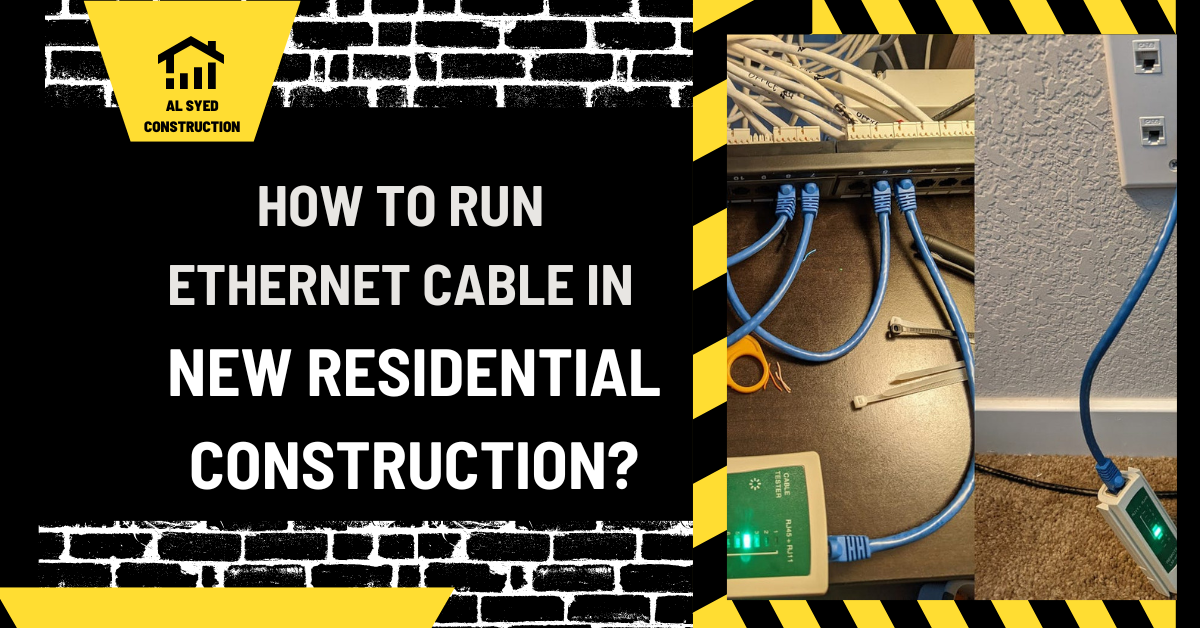
Ethernet Cable Rough-In for New Homes
Safety note: This article supports planning and review; it is not a procedure for working on energized equipment. Electrical installation, testing, fault diagnosis, and changes to electrical equipment belong with qualified personnel under the adopted code, approved plans, manufacturer instructions, and site safety requirements. Confirm local requirements with the AHJ.
Project review checklist for ethernet Cable Rough-In for New Homes
| Review point | What to verify | Why it matters |
|---|---|---|
| Scope | system function, equipment and connector requirements | Prevents a generic term or product label from replacing the approved project requirement. |
| Coordination | power and low-voltage trades, network or security designers, framing | Resolves location, sequence, and ownership before work is concealed or ordered. |
| Acceptance | cable identification at both ends, pathway continuity, supports and protection | Leaves a verifiable record for inspection and future operations. |
For adjacent guidance, see How to Run Coax Cable in New Construction and The Most Commonly Used Cable Types in Residential. These companion articles cover related stages of U.S. electrical planning and construction.
In the realm of new residential construction, the importance of a robust and reliable network infrastructure cannot be overstated. Whether you’re building a single-family home, a multi-unit development, or even a commercial property, ensuring that your Ethernet cable installation is done correctly is crucial for future-proofing the property and providing seamless connectivity for its occupants. In this comprehensive guide, we will walk you through the process of running Ethernet cable in new residential construction, covering everything from planning and preparation to installation and testing.
Planning and Preparation
Before you begin running Ethernet cable in your new construction project, it’s essential to have a clear plan in place. Start by determining the specific requirements of the property, including the number of rooms and devices that will require Ethernet connectivity. This will help you determine the quantity of cable needed and the best locations for Ethernet outlets.
Next, create a detailed floor plan that includes the locations of all rooms, walls, and potential obstacles such as plumbing and electrical lines. This will help you identify the most efficient routes for running Ethernet cable and avoid potential interference.
Choosing the Right Cable
When it comes to Ethernet cable, not all cables are created equal. For new residential construction, we recommend using Category 6 (Cat 6) or Category 6a (Cat 6a) Ethernet cable. These cables are designed to support high-speed data transfer rates and are ideal for streaming media, online gaming, and other bandwidth-intensive applications.
Running Ethernet Cable
Once you’ve planned your cable routes and chosen the right cable, it’s time to start running Ethernet cable. Begin by running cable from the central location (such as a network closet or basement) to each room where Ethernet connectivity is needed. Use cable staples or clips to secure the cable to the walls and ceilings, ensuring that it is out of the way and protected from damage.
When running cable through walls, floors, or ceilings, be sure to use cable-rated wall plates and conduit to protect the cable and comply with building codes. Additionally, be mindful of electrical wiring and other potential sources of interference, and try to keep Ethernet cables at least 12 inches away from these sources.
Terminating and Testing
Once you’ve run Ethernet cable to each room, it’s time to terminate the cable and test the connections. Use a punch-down tool to terminate the cable at each outlet, ensuring that the connections are secure and properly aligned. Once all the cables are terminated, use a cable tester to verify that each connection is functioning correctly and can support high-speed data transfer.
Conclusion
In conclusion, running Ethernet cable in new residential construction is a critical step in ensuring that the property is equipped with a reliable and high-speed network infrastructure. By following the steps outlined in this guide, you can ensure that your Ethernet cable installation is done correctly and can support the connectivity needs of the property’s occupants for years to come.
What ethernet Cable Rough-In for New Homes means in project context
Treat the subject as one coordinated decision, not an isolated product choice; the room, route, interface, access, and handover all affect whether it works as intended. For this topic, the key is carry power, communications, control, or signal between defined endpoints, with the cable type and pathway matched to the system design rather than chosen by name alone. That distinction matters because a similar-looking term, component, or installation may serve a different system function. Read the item together with its drawing note, schedule, specification, and approved submittal. If these disagree, record the exact sheet, location, and conflict and request clarification before procurement or concealment. This keeps the article’s general explanation separate from decisions that belong to the project engineer, electrical contractor, manufacturer, or AHJ.
Inputs to settle before work begins
Before selecting or laying out ethernet Cable Rough-In for New Homes, gather system function, equipment and connector requirements, approved cable type, route length and access, environmental exposure, bend and pulling limits in manufacturer data, separation requirements, fire or plenum conditions where applicable, and labeling conventions. Put these inputs in one review set rather than relying on assumptions carried from a previous job. Confirm which revision governs and who owns each decision. Where the documents omit information, make a concise RFI that identifies the location, the conflicting details, and the proposed options without presenting an unapproved option as accepted. This sequence reduces late substitutions and gives purchasing, field crews, and inspectors a consistent basis for review.
Coordination with adjacent work
The coordination list for this subject includes power and low-voltage trades, network or security designers, framing, HVAC, fire protection, ceiling layouts, equipment locations, pathway capacity, and the sequence for testing before ceilings close. Hold the review early enough that one trade’s route or equipment choice does not force another trade into a concealed conflict. Mark the relevant access zones and interfaces on coordinated drawings, including where work crosses a structural element or rated enclosure. Assign a person to close every clash and update the affected documents. A meeting note alone is not a design revision: field teams should work from the approved response or updated drawing.
Quality checks before acceptance
A practical inspection for ethernet Cable Rough-In for New Homes compares the installed condition with the approved design and the applicable product instructions. Review cable identification at both ends, pathway continuity, supports and protection, no crushed jacket or sharp kink, connector compatibility, test results appropriate to the system, and documented exceptions. Use the project’s required tests and inspection points; do not invent a numerical acceptance limit from a general article. Record the location, equipment or pathway identifier, date, reviewer, result, and any corrective action. For work that will be concealed, take clear photographs while the relevant interfaces remain visible and confirm that required inspections have occurred before close-in.
Common causes of rework
Teams can prevent common problems by watching for selecting a cable from a broad label without checking its actual rating, mixing systems without design approval, leaving no accessible pathway, exceeding a product’s pull limits, or omitting labels and test documentation. Most of these issues begin as coordination gaps rather than difficult technical failures: a drawing revision is missed, an access zone is blocked, a responsibility boundary is unclear, or installation starts before a pending decision is closed. A short pre-installation review should identify the current drawing set, sequence, inspection hold points, and person to contact when field conditions differ. Stop and document a conflict instead of making an undocumented change that later trades cannot see.
A project example
Consider this illustrative situation: a new residence needs television, data, and control connections in several rooms; the plan assigns outlets and a central termination point, coordinates routes before insulation, and tests each run before drywall makes repair difficult. The useful lesson is the decision path, not a universal product or dimension. The team compares the actual condition with the approved documents, identifies the authority for the decision, checks adjacent trades, and captures the approved outcome. If a different building, code edition, product, or utility interface is involved, the details may change. Use the example as a checklist for questions to ask, then rely on project-specific engineering and inspection.
Closeout and future maintenance
The value of a correct installation can be lost if future teams cannot identify or reach it. Preserve cable schedule, approved product data, endpoint and pathway labels, test reports, patch or termination schedule where relevant, and as-built locations for future changes. Make sure the final record reflects approved field changes instead of copying an early design unchanged. Labels should agree with schedules and equipment directories, and the owner should receive the documents needed to locate, operate, inspect, or maintain the system. When a component is expected to be replaced or accessed later, explain that access in the handover notes so finishes, storage, and landscaping do not obscure it.
How to handle unresolved terminology or scope
If ethernet Cable Rough-In for New Homes is named differently in a drawing, product sheet, or field conversation, compare the exact wording and surrounding context before choosing a definition. Note the sheet or specification section, the system involved, and whether the difference affects product selection, routing, safety, price, or inspection. A project glossary or submittal can help, but it does not override an approved design revision. Send a focused clarification request when the intent remains uncertain, and distribute the response to the estimator, purchaser, foreperson, and inspector who rely on it.
Frequently Asked Questions
How is the right cable selected?
The project meaning is the one established by its approved drawings, specification, schedule, and product documents. A general definition helps explain the concept, but it cannot settle a conflict between project records. Identify the exact sheet and location, then ask the responsible designer for clarification if the meaning changes scope or installation.
More Questions About ethernet Cable Rough-In for New Homes
Where should endpoints be shown?
Start with the latest approved plan and the relevant schedule or specification. Compare the system purpose, physical location, product data, and handoff to other trades. For ethernet Cable Rough-In for New Homes, the most important inputs include system function, equipment and connector requirements, approved cable type. If a required value or approval is missing, leave it open for the project team rather than guessing.


Leave a Reply
Want to join the discussion?Feel free to contribute!